Multi-Account Setup
Platform-specific guides for managing multiple accounts across TikTok, Instagram, and YouTube.
8 min
Loading...
Ready to start automating?
Join hundreds businesses growing with Renderfire
Platform-specific guides for managing multiple accounts across TikTok, Instagram, and YouTube.
Join hundreds businesses growing with Renderfire
Create multiple accounts only after proving content works on one account. Each platform has different multi-account features: TikTok requires separate devices/profiles, Instagram allows 5 accounts in-app, YouTube uses Brand Accounts. For 10+ accounts, you need infrastructure: unique emails, phone numbers, residential proxies, and device management. Never post duplicate content on the same platform.
Once you've proven your content model works and are ready to scale, managing multiple accounts becomes essential. This guide covers platform-specific setup methods, infrastructure requirements for serious operations, and organization systems to keep everything running smoothly.
Before diving into setup, make sure you actually need multiple accounts.
Different niches require separate accounts. Don't mix fitness content and cooking content on one account-the algorithm gets confused about who your audience is and shows your content to nobody. Create separate accounts for distinct content categories so each can build a focused, engaged audience.
Team management benefits from dedicated accounts. If you have multiple team members creating content, giving each person their own account prevents conflicts and allows each creator to build their personal brand while contributing to your overall content strategy.
Testing strategies requires separate testing grounds. Want to A/B test different content approaches? Use multiple accounts to test different hooks, formats, or posting strategies simultaneously. This generates data faster than testing sequentially on one account.
Scaling content means scaling accounts. If you're producing high volumes of content-say 10+ videos per day-you need multiple accounts to distribute that content without oversaturating any single account's audience. This is often called running a TikTok farm-multiple coordinated accounts maximizing reach. For a deep dive into building and managing content farms, see our complete guide to building a TikTok and Instagram content farm.
TikTok requires careful separation between accounts to avoid detection.
Pros: These are trusted individuals, which reduces risk significantly. If they have existing aged accounts (accounts that have been active for months or years), those accounts come with built-in algorithmic trust. Real people backing the accounts means lower risk of being flagged for suspicious activity.
Cons: You can only get a limited number-most people don't have 50 friends willing to hand over their TikTok accounts. You require their ongoing cooperation and trust. They maintain ultimate control, so if the relationship sours, you could lose access.
How to do it properly: Ask permission and be completely transparent about your plans. Get access credentials and store them securely. Add your phone number or email as a backup recovery method. Update the profile gradually to align with your niche. Warm up the account again for 5-7 days, even if it's older.
Requirements for each account: Every account needs a unique email address (Gmail works well). Each needs a phone number for verification-you can use VOIP services like TextNow or Google Voice, though real SIM cards are more reliable. Maintain separate login sessions using different devices or strictly separated browser profiles.
Email setup strategy: Create Gmail accounts with a clear naming convention (e.g., yourbrand.niche1@gmail.com). Enable two-factor authentication for security. Save all credentials in a secure password manager like 1Password or Bitwarden.
Phone verification options: Option 1 (Best): Buy cheap prepaid SIM cards-they're physical, reliable, and TikTok accepts them without question. Option 2: Use VOIP numbers from TextNow or Google Voice-these work but aren't as reliable. Option 3 (Least recommended): SMS verification services like SMS-Activate-numbers are often reused which can cause issues.
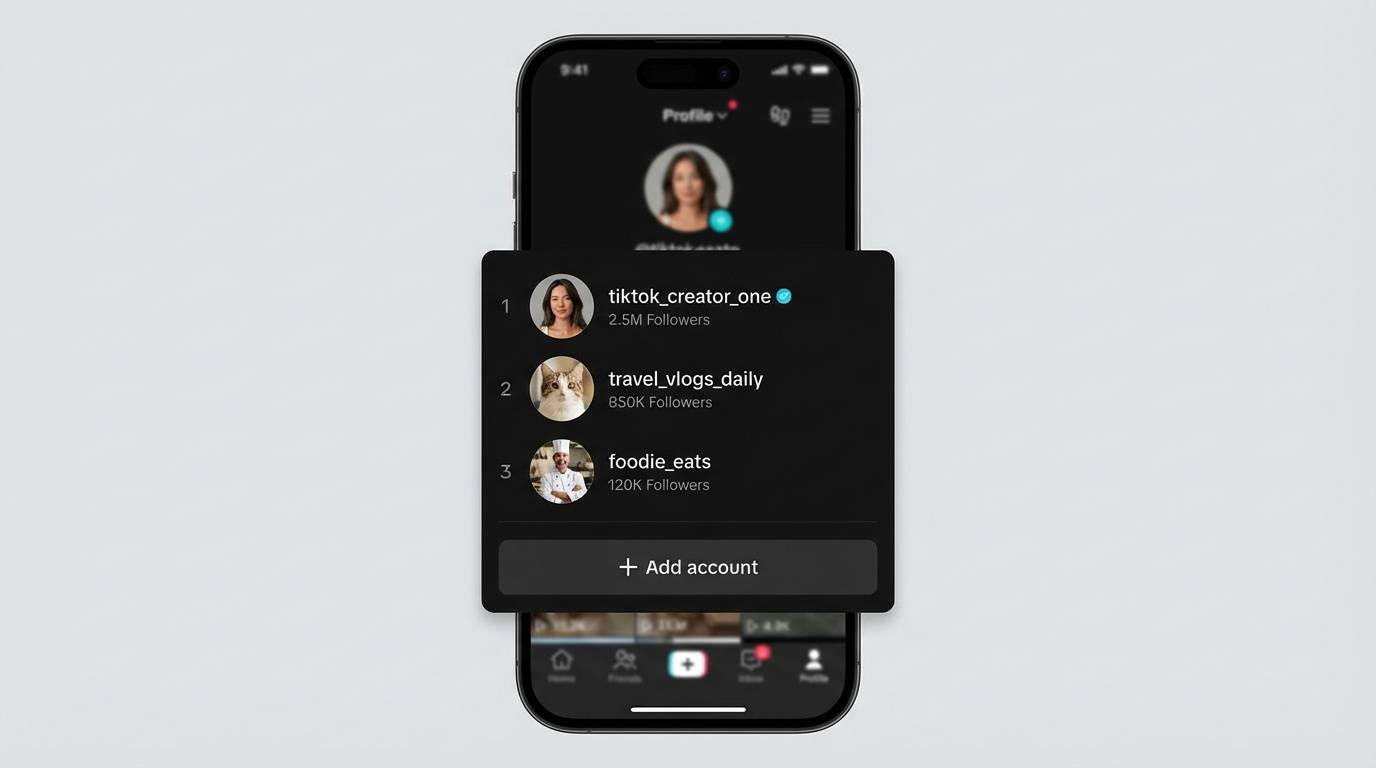
Instagram has built-in multi-account features that make management easier.
Add up to 5 accounts in the Instagram app. Instagram allows you to be logged into multiple accounts simultaneously. Go to Settings → Add Account to link additional accounts. You can quickly switch between them without logging out-just tap your profile picture and select the account.
Each account needs unique credentials. Every account requires a separate email or phone number for signup. Use a naming convention for organization (e.g., yourbrand.fitness@gmail.com, yourbrand.recipes@gmail.com).
Meta Business Suite for professional management. If you're managing multiple business accounts, Meta Business Suite provides a centralized dashboard. You can schedule posts, view analytics across accounts, manage messages, and handle Facebook integration all in one place.
YouTube's Brand Account system makes multi-channel management straightforward.
One Google account, multiple Brand channels. A single Google account can manage multiple YouTube Brand Account channels. Go to YouTube settings → Create a new channel → Use a custom name. This creates a new Brand Account channel linked to your Google account. You can switch between channels without logging out.
Add managers to Brand Account channels. Brand Accounts allow multiple people to manage the channel. Go to YouTube Studio → Settings → Permissions. Add team members with appropriate access levels (Owner, Manager, or Editor). This enables team collaboration while maintaining security.
Keep channels separate for clean analytics. Each Brand Account channel has its own YouTube Studio, analytics, and monetization status. This separation helps you understand what's working on each channel without data pollution.
Long-form vs Shorts channels. Some creators run separate channels for YouTube Shorts and traditional long-form content. This keeps each channel focused and allows for different branding and audience expectations.
Main channel vs clips channel. If you create long-form content like podcasts or streams, a separate clips channel can repurpose highlights without cluttering your main channel.
Managing 10+ accounts requires proper infrastructure and organization.
Multiple devices or emulators. You'll need multiple physical devices OR device emulators that convincingly simulate real phones. Each account should operate from its own device environment to avoid detection.
Separate IP addresses. Each account should have a separate IP address-use residential proxies or VPNs, with a different IP for each account. This avoids platforms detecting that multiple accounts are coming from the same location. Use USA residential proxies (5G if possible) for best results-these IPs look like real users, not data centers.
Unique phone numbers for each account. Either via SIM cards or verification services. USA SIM cards are most reliable and trusted by platforms.
Account management system. At minimum, maintain a detailed spreadsheet tracking every account, its credentials, its niche, and its performance.
For proxies: Use residential proxy services like Bright Data or Oxylabs-avoid cheap datacenter proxies that scream "bot."
For device management: Android emulators like BlueStacks or NoxPlayer can work, but physical devices are more reliable.
For SMS verification: Services like SMS-Activate or GetSMSCode provide temporary numbers.
For organization: Use Airtable or Google Sheets to track every detail: account credentials, creation date, niche, posting schedule, performance metrics, and account status.
Keep detailed records of all accounts to maintain organization and track performance.
Required columns: Account username (unique identifier), login email (passwords in secure password manager), phone number used for verification, platform (TikTok/Instagram/YouTube), niche or content type, creation date, account status (active, shadowbanned, suspended, testing), and performance notes.
| Username | Platform | Niche | Status | Avg Views |
|---|---|---|---|---|
| @fitlife_tips | TikTok | Fitness | Active | 15K |
| @fitlife_tips | Fitness | Active | 8K | |
| @quickmeals_daily | TikTok | Cooking | Testing | 2K |
Stagger posting times across accounts. Don't post from 5 accounts at exactly 3 PM-platforms might flag this as coordinated inauthentic behavior.
Never post identical content to multiple accounts on the same platform. The algorithm can detect duplicates and will suppress all copies. Vary captions and hashtags even when posting similar content themes.
Track what performs best on each account individually. Different accounts in the same niche can have slightly different optimal strategies based on their unique audience.
Use different angles and perspectives. If Account A shows a recipe from overhead, Account B shows it from the side with the creator visible.
Vary hooks and calls-to-action. Test different hook styles on different accounts to see what works.
Experiment with different video lengths. Find each account's sweet spot-one might excel with 15-second clips while another performs better with 60-second content.
Breaking these rules leads to shadowbanned accounts and wasted effort.
ALWAYS warm up new accounts for 5-7 days before posting. No shortcuts. Each new account starts with zero trust. The algorithm doesn't know you're the same creator-new accounts must earn trust from scratch.
ALWAYS post manually from the mobile app for the first 10 posts. Even after warmup, don't immediately use automation tools. The first 10 posts establish your posting pattern. Use the native app to signal you're a real human.
NEVER use automation on low-performing accounts. Get 500+ views per video consistently AND have 2-3 proven winning formats before using any automation tools. Automation amplifies what's already working-it doesn't create success from failure.
NEVER post the exact same video on the same platform twice. Platforms recognize duplicate content and suppress it. Create variations-different hooks, angles, text overlays-or stagger posting so duplicates are weeks apart.
DO repurpose across different platforms. Your TikTok video can be posted identically to Instagram Reels and YouTube Shorts-different platforms, different algorithms, no duplication issues.
There's no magic number-it depends on your capacity to maintain quality and follow warmup rules for each account. Most creators successfully run 2-4 accounts per platform. The key is warming up each new account for 5-7 days and never posting duplicate content on the same platform.
For TikTok, it's recommended to use separate devices or strictly separated browser profiles. Instagram allows 5 accounts in-app natively. YouTube Brand Accounts can all be managed from one Google account. For 10+ accounts on any platform, separate devices/IPs become important.
Never on the same platform-duplicate content gets suppressed. But you CAN repurpose the same video across different platforms (TikTok to Instagram Reels to YouTube Shorts). For multiple accounts on one platform, create variations with different hooks, angles, or text overlays.